
0 Spicy Yoghurt | Last updated: 2 November 2026 | JavaScript tutorial
Simulate a flock of birds with boids in JavaScript
Simulate a flock of birds in JavaScript with the boids algorithm. Code the three rules of flocking one by one, with a live demo for each step. Then add obstacles and a predator, and give the boids a field of view. By the end of this tutorial, you'll have a flock of thousands of boids running smoothly in your browser.
Here's what you'll build. Move your mouse over the flock, or touch it with your finger, and watch the boids get out of the way:

What is flocking?
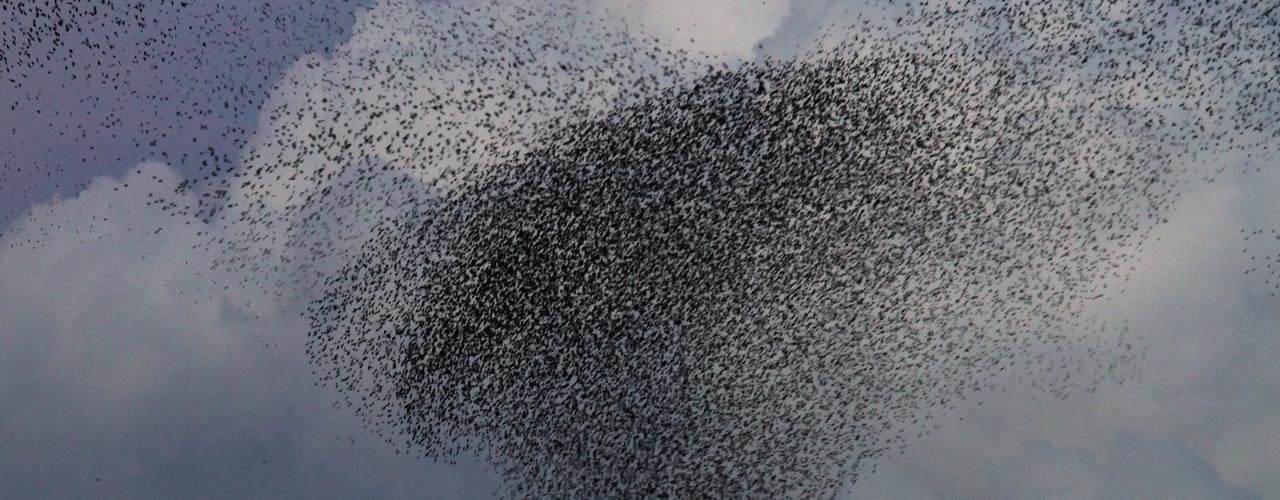
Watch a flock of starlings at sunset, and it looks like one big animal. Thousands of birds turn at the same moment, split up around a hawk and come back together. Yet no bird is in charge. Each one only keeps an eye on the few birds around it.
In 1986, Craig Reynolds turned that idea into a computer program. He called his simulated birds boids, short for bird-oid objects: objects that behave like birds. Every boid follows three simple rules, based only on its neighbors:
- Separation - Don't fly too close to your neighbors.
- Alignment - Fly in the same direction as your neighbors.
- Cohesion - Stay close to your neighbors.
That's all. There's no rule for the flock as a whole, and yet a flock appears on the screen. This is called emergent behavior: simple rules for each part add up to something bigger. Conway's Game of Life works the same way, with cells instead of birds.
Boids have been used in movies ever since. The first feature film to use boids was Batman Returns, in 1992, for its swarms of bats and flocks of penguins. In games, flocking moves birds, fish and crowds of characters, and researchers use it to fly swarms of drones.
In this tutorial, you'll build boids in plain JavaScript on the HTML5 canvas. You'll start with a single boid, add the three rules one by one, and then use them in a few practical examples.
Create a boid
A boid is just a point that moves. It has a position, x and y, and a velocity, vx and vy, in pixels per second. vx is how fast it moves to the right, and vy how fast it moves down. A negative value means it moves left or up.
Here's a Boid class that moves at a constant velocity. When it flies off one side of the canvas, it comes back on the other side:
const canvasWidth = 750;
const canvasHeight = 400;

class Boid {
    constructor(x, y, vx, vy) {
        this.x = x;
        this.y = y;
        this.vx = vx;
        this.vy = vy;
    }

    update(secondsPassed) {
        this.x += this.vx * secondsPassed;
        this.y += this.vy * secondsPassed;

        // Fly off one side, and come back on the other
        if (this.x < 0) {
            this.x += canvasWidth;
        } else if (this.x > canvasWidth) {
            this.x -= canvasWidth;
        }
        if (this.y < 0) {
            this.y += canvasHeight;
        } else if (this.y > canvasHeight) {
            this.y -= canvasHeight;
        }
    }
}
secondsPassed is the time since the last frame. Multiplying by it keeps the speed the same on every screen, whether it shows 60 or 144 frames per second. The tutorial on smooth canvas animation explains why.
To see which way a boid is flying, draw it as a triangle that points along its velocity. Add a draw() method to the Boid class. Math.atan2() turns the velocity into an angle, and rotate() turns the canvas to that angle before you draw. context is the 2D context of your canvas:
draw() {
    let angle = Math.atan2(this.vy, this.vx);

    context.save();
    context.translate(this.x, this.y);
    context.rotate(angle);
    context.beginPath();
    context.moveTo(8, 0);
    context.lineTo(-6, 5);
    context.lineTo(-6, -5);
    context.closePath();
    context.fillStyle = '#0099b0';
    context.fill();
    context.restore();
}
translate() moves the canvas's (0, 0) point to the boid, so the triangle rotates around the boid itself. save() and restore() undo the move and the rotation afterward, so the canvas is back to normal for the next boid.
The triangle points to the right, along the x-axis. After the rotation, it points the way the boid flies. The tutorial on sprite animations uses the same trick to rotate the bees.
Now create a flock: a list of boids, each with a random position and a random direction. Every boid flies at maxSpeed, 120 pixels per second:
const boidCount = 60;
const maxSpeed = 120;

let boids = [];

function createFlock() {
    for (let i = 0; i < boidCount; i++) {
        // A random direction, from 0 to 360 degrees
        let angle = Math.random() * 2 * Math.PI;
        boids.push(new Boid(
            Math.random() * canvasWidth,
            Math.random() * canvasHeight,
            Math.cos(angle) * maxSpeed,
            Math.sin(angle) * maxSpeed
        ));
    }
}
2 * Math.PI is a full circle (360 degrees) in radians, the unit that Math.cos() and Math.sin() use. Those two turn the angle into an x and y with a total length of 1, and multiplying by maxSpeed gives a speed of exactly maxSpeed. Want random sizes or colors for your boids too? The tutorial on random numbers in JavaScript shows you how.
Call createFlock() once at the start. Then, in your game loop, clear the canvas, then update and draw every boid:
let oldTimeStamp = 0;

function gameLoop(timeStamp) {
    let secondsPassed = (timeStamp - oldTimeStamp) / 1000;
    oldTimeStamp = timeStamp;

    // Don't jump ahead after the tab was hidden
    secondsPassed = Math.min(secondsPassed, 0.1);

    context.clearRect(0, 0, canvasWidth, canvasHeight);
    for (let boid of boids) {
        boid.update(secondsPassed);
        boid.draw();
    }

    window.requestAnimationFrame(gameLoop);
}
If you haven't built a game loop before, the tutorial about the JavaScript game loop explains how. Here's the result:
Well, it's a start. Every boid flies in a straight line, without paying any attention to the others. That's not a flock yet.
Steer instead of turning instantly
Before a boid can follow any rules, it needs a way to change direction. The easiest way is to just give it a new velocity. But then a boid turns around in a single frame, and that looks nothing like a bird.
Reynolds came up with a better way: steering. First, you work out the desired velocity: the velocity the boid would like to have, at full speed in the direction it wants to go. The steering force is the difference between the desired velocity and the current velocity. Add a little of that force to the velocity every frame, and the boid turns gradually.
maxForce limits how hard a boid can steer. The higher it is, the faster the boid turns. Add a steer() method to the Boid class. It takes a direction, x and y, and returns the steering force:
// Steer in the direction (x, y), capped at maxForce
steer(x, y) {
    let length = Math.hypot(x, y);
    if (length == 0) {
        return {x: 0, y: 0};
    }

    // The desired velocity minus the current velocity
    let steerX = x / length * maxSpeed - this.vx;
    let steerY = y / length * maxSpeed - this.vy;

    let force = Math.hypot(steerX, steerY);
    if (force > maxForce) {
        steerX *= maxForce / force;
        steerY *= maxForce / force;
    }
    return {x: steerX, y: steerY};
}
Math.hypot() uses the Pythagorean theorem to give you the length of a vector: the square root of x² + y². Dividing the direction by its length gives it a length of 1. This is called normalizing a vector, and the tutorial about keyboard, mouse and touch controls uses it too. Multiply by maxSpeed, and you have the desired velocity. If the steering force is longer than maxForce, steer() shortens it without changing its direction.
The steering force changes the velocity, just like gravity changes the velocity of a falling ball. It's an acceleration, in pixels per second per second. Store it in this.ax and this.ay. Add this.ax = 0; and this.ay = 0; to the constructor, and use them at the start of update():
const maxForce = 200;

// In the Boid class
update(secondsPassed) {
    this.vx += this.ax * secondsPassed;
    this.vy += this.ay * secondsPassed;
    this.ax = 0;
    this.ay = 0;

    // Never fly faster than maxSpeed
    let speed = Math.hypot(this.vx, this.vy);
    if (speed > maxSpeed) {
        this.vx *= maxSpeed / speed;
        this.vy *= maxSpeed / speed;
    }

    this.x += this.vx * secondsPassed;
    this.y += this.vy * secondsPassed;

    // ...
}
The steering force can push a boid past maxSpeed, and later on, several forces will add up. That's why update() caps the speed. The You don't need to change it.
Let's try it with a single boid that steers toward the mouse. pointer.x and pointer.y are the position of the mouse on the canvas. To see how to get them, look at addPointerEvents() and movePointer() in the complete code at the end of this page. The direction to the mouse is the difference in x and y between the mouse and the boid. Put these lines in the game loop, before update():
let steering = boid.steer(pointer.x - boid.x, pointer.y - boid.y);
boid.ax = steering.x;
boid.ay = steering.y;
This is called seek, and it's the simplest steering behavior. Move your mouse over the canvas below, or touch it. If you don't, the red dot moves around by itself. The gray arrow is the desired velocity, the blue arrow is the velocity and the red arrow is the steering force:
With a maxForce of 25, the boid swings wide around the dot, like a car taking a corner too fast. With 200, it takes the corner a lot more tightly. In the controls tutorial, the bee flies straight to the pointer at a constant speed. With steering, the boid curves toward it, and it overshoots when it's going fast. That curve is what makes boids look alive.
Find each boid's neighbors
A real bird can't keep track of the whole flock. It only sees the birds near it. A boid works the same way: it only looks at the boids within a circle around it, with a radius of perceptionRadius. Those boids are its neighbors.
Add a getNeighbors() method to the Boid class. It loops over all boids, skips the boid itself and keeps the ones that are close enough:
const perceptionRadius = 50;

// In the Boid class
getNeighbors(boids) {
    let neighbors = [];
    for (let other of boids) {
        if (other == this) {
            continue;
        }

        let dx = other.x - this.x;
        let dy = other.y - this.y;
        let distance = Math.hypot(dx, dy);
        if (distance < perceptionRadius) {
            neighbors.push(other);
        }
    }
    return neighbors;
}
dx and dy are the difference in x and y between the two boids, and Math.hypot() turns them into the distance. The tutorial about collision detection uses the same calculation to check if two circles overlap.
In the demo below, the red boid is the one looking around. The circle shows its perception radius, and the lines go to its neighbors. Change perceptionRadius and see how many neighbors it gets:
With a small radius, a boid hardly ever has a neighbor. With a big one, every boid reacts to a large part of the flock, and the three rules have a lot more neighbors to loop over. A radius of 50 pixels, a few times the size of a boid, works well.
Separation: don't crowd your neighbors
The first rule keeps boids from flying into each other. For every neighbor that's closer than separationDistance, take the direction away from it. Add up those directions, and steer that way:
const separationDistance = 25;

// In the Boid class
separate(neighbors) {
    let x = 0;
    let y = 0;
    for (let other of neighbors) {
        let dx = this.x - other.x;
        let dy = this.y - other.y;
        let distance = Math.hypot(dx, dy);
        if (distance > 0 && distance < separationDistance) {
            // Push away, harder when it's closer
            x += dx / distance / distance;
            y += dy / distance / distance;
        }
    }
    return this.steer(x, y);
}
This time, dx and dy point from the other boid to this one. Dividing them by distance gives that direction a length of 1. Dividing by distance once more makes a close neighbor count more than one farther away: a neighbor 5 pixels away counts four times as much as one 20 pixels away. steer() only uses the direction of the sum, so the closest neighbors mostly decide which way the boid moves to get away. The check for distance > 0 skips a boid in exactly the same spot, because dividing by 0 would break the math.
separationDistance is half of perceptionRadius. So a boid sees all of its neighbors, but only moves away from the ones that come too close. Here's separation on its own. Click Restart to pack the boids together again:
The boids burst apart and keep their distance. But that's all they do. Without the other two rules, they don't fly together at all.
Alignment: fly in the same direction
The second rule makes a boid fly the same way as its neighbors. Add an align() method to the Boid class. It adds up the velocities of all its neighbors. That gives you their average direction, and the boid steers in that direction:
align(neighbors) {
    let x = 0;
    let y = 0;
    for (let other of neighbors) {
        x += other.vx;
        y += other.vy;
    }
    return this.steer(x, y);
}
You don't have to divide by the number of neighbors to get the average direction. steer() only uses the direction of x and y, not their length. When there are no neighbors, x and y stay 0, and steer() returns no force at all. Here's alignment on its own:
Groups of boids start to fly side by side, like cars on a highway. But nothing keeps them apart or together. They fly right over each other, and a group only grows when it runs into another one.
Cohesion: stay close to the group
The third rule keeps the flock together. Add a cohere() method that works out the average position of the neighbors, the center of the group around the boid, and steers toward it:
cohere(neighbors) {
    if (neighbors.length == 0) {
        return {x: 0, y: 0};
    }

    let x = 0;
    let y = 0;
    for (let other of neighbors) {
        x += other.x;
        y += other.y;
    }

    // Steer toward the average position of the neighbors
    let centerX = x / neighbors.length;
    let centerY = y / neighbors.length;
    return this.steer(centerX - this.x, centerY - this.y);
}
This time, you do need to divide by the number of neighbors, because the average position is a point, not a direction. That's also why cohere() stops right away when there are no neighbors. Dividing by 0 would give you NaN, and your boid would vanish without a trace. Here's cohesion on its own:
The boids gather into tight clumps and never let go of each other. Each clump keeps pulling itself together, until its boids sit almost on top of each other.
Put the three rules together
On its own, no rule looks like a flock. Together, they do. Every rule returns a steering force, and the boid adds them up. A weight for each rule decides how much it counts. Add a flock() method that finds the neighbors, applies the three rules and adds up the forces:
flock(boids) {
    let neighbors = this.getNeighbors(boids);
    let separation = this.separate(neighbors);
    let alignment = this.align(neighbors);
    let cohesion = this.cohere(neighbors);

    this.applyForce(separation, separationWeight);
    this.applyForce(alignment, alignmentWeight);
    this.applyForce(cohesion, cohesionWeight);
}

applyForce(force, weight) {
    this.ax += force.x * weight;
    this.ay += force.y * weight;
}
applyForce() adds a force to the acceleration, multiplied by its weight. The acceleration starts at 0 every frame, because update() resets it after using it. In the game loop, first let every boid flock, and only then move them all:
for (let boid of boids) {
    boid.flock(boids);
}
for (let boid of boids) {
    boid.update(secondsPassed);
}
Why two loops? If a boid moved right after it looked at its neighbors, the next boid would see some neighbors in their old spot and some in their new one. The Game of Life has the same problem, and the same solution: calculate everything first, and then change it all at once.
Here's the flock with all three rules. Change the weights and watch what happens:
Here's what each weight does:
- separationWeight - The higher it is, the more space the boids keep between them. At 0, they pile up on top of each other.
- alignmentWeight - The higher it is, the more neatly the flock flies in one direction. At 0, the boids buzz around in a cloud.
- cohesionWeight - The higher it is, the tighter the groups. At 0, the flock slowly falls apart.
There's no single right setting. Birds, fish and insects each need their own weights, and finding them is half the fun.
Keep the flock on screen
So far, a boid that flies off one side of the canvas comes back on the other. That's easy, but it has a catch. When boids come back on the other side, it's as if the left and right edges of the canvas are joined. A boid at the right edge can be only a few pixels from one at the left edge, but getNeighbors() measures the distance straight across the canvas, so the boid doesn't see its neighbor. So the flock breaks apart at the edges, and boids pop up out of nowhere on the other side.
Real birds don't fly through walls. They turn around. Give the canvas a margin along the edges. Inside that margin, a boid steers back toward the middle:
const edgeMargin = 50;
const edgeWeight = 2;

// In the Boid class
avoidEdges() {
    let x = 0;
    let y = 0;
    if (this.x < edgeMargin) {
        x = 1;
    } else if (this.x > canvasWidth - edgeMargin) {
        x = -1;
    }
    if (this.y < edgeMargin) {
        y = 1;
    } else if (this.y > canvasHeight - edgeMargin) {
        y = -1;
    }
    return this.steer(x, y);
}
x and y point back toward the middle: 1 to the right or down, -1 to the left or up. steer() turns that direction into a steering force, just like it does for the rules. Add it to flock() with its own weight:
this.applyForce(this.avoidEdges(), edgeWeight);Keep the code in update() that brings a boid back on the other side. A fast boid can still slip past the margin, and then it comes back instead of getting lost. Switch the demo between Wrap and Turn back:
With Turn back, the dashed line shows the margin. The flock turns around in a smooth curve and stays together.
Avoid obstacles
A flock in a game has to find its way around trees, rocks and walls. For a round obstacle, you can use the same idea as separation: when a boid comes too close, it steers away from the center of the obstacle. Keep the obstacles in a list, each with a position and a radius:
const avoidDistance = 30;
const obstacleWeight = 3;

let obstacles = [
    {x: 230, y: 150, radius: 40},
    {x: 520, y: 110, radius: 30},
    {x: 470, y: 220, radius: 25}
];
Then add an avoidObstacles() method to the Boid class:
avoidObstacles() {
    let x = 0;
    let y = 0;
    for (let obstacle of obstacles) {
        let dx = this.x - obstacle.x;
        let dy = this.y - obstacle.y;
        let distance = Math.hypot(dx, dy);

        // How close the boid can get to the obstacle's center
        let safeDistance = obstacle.radius + avoidDistance;
        if (distance > 0 && distance < safeDistance) {
            // From 0 at safeDistance to 1 at the edge of the obstacle
            let strength = (safeDistance - distance) / avoidDistance;
            x += dx / distance * strength;
            y += dy / distance * strength;
        }
    }
    return this.steer(x, y);
}
A boid starts to steer away when it's less than avoidDistance from the edge of an obstacle. When a boid is near two obstacles at once, strength makes the nearer one count more. Give this force a bigger weight than separation, because hitting a rock is worse than coming a bit too close to a neighbor:
this.applyForce(this.avoidObstacles(), obstacleWeight);Click or tap the canvas to place an obstacle, and click or tap an obstacle to remove it:
This works well for round obstacles in open space. For walls and mazes, a boid needs a real route around them, and that's a job for pathfinding.
Flee from a predator
What's a flock without a hawk to scare it? Fleeing is the opposite of seeking: the boid steers away from the predator instead of toward it. It only does that when the predator is within fleeRadius:
const fleeRadius = 100;
const fleeWeight = 4;

// In the Boid class
flee(x, y) {
    let dx = this.x - x;
    let dy = this.y - y;
    if (Math.hypot(dx, dy) > fleeRadius) {
        return {x: 0, y: 0};
    }
    return this.steer(dx, dy);
}
This time, x and y aren't a direction but a point: the position of the predator. dx and dy point away from it. Use the mouse as the predator, and add the force in flock(). Give it a big weight, because staying alive is more important than staying in line:
if (pointer.isActive) {
    let fleeForce = this.flee(pointer.x, pointer.y);
    this.applyForce(fleeForce, fleeWeight);
}
pointer.isActive is true while the mouse is over the canvas or a finger touches it. The predator can also be a boid itself. A hunter seeks the nearest boid with steer(). To make it a little faster than the flock, give the hunter its own this.maxSpeed property, and use it in update() instead of the maxSpeed constant. Switch the predator in the demo between Mouse and Hunter:
Watch how the flock splits up around the predator and closes up again behind it. Nobody told the flock to do that. It's just every boid fleeing and flocking at the same time.
Give the boids a field of view
So far, a boid sees in every direction, even straight behind it. Most birds have their eyes on the sides of their head, and they can't see what's right behind them. Give your boids a blind spot too, with fieldOfView, the angle a boid can see, in degrees. A value of 270 leaves a blind spot of 90 degrees behind it.
To check if a neighbor is in sight, compare two directions: the direction the boid flies in, and the direction to the neighbor. The dot product of the two tells you how much they point the same way. You get it by multiplying the two x values, multiplying the two y values and adding the results together. When both directions have a length of 1, the dot product is the cosine of the angle between them: 1 straight ahead, 0 to the side and -1 straight behind. The tutorial about collision detection explains the dot product with a demo.
Change getNeighbors() like this:
const fieldOfView = 270;

// In the Boid class
getNeighbors(boids) {
    let neighbors = [];
    let speed = Math.hypot(this.vx, this.vy);

    // The edge of what the boid can see
    let viewCos = Math.cos(fieldOfView / 2 * Math.PI / 180);

    for (let other of boids) {
        if (other == this) {
            continue;
        }

        let dx = other.x - this.x;
        let dy = other.y - this.y;
        let distance = Math.hypot(dx, dy);
        if (distance >= perceptionRadius) {
            continue;
        }

        // Skip boids in the blind spot behind this one
        let dot = dx * this.vx + dy * this.vy;
        if (dot / (distance * speed) < viewCos) {
            continue;
        }
        neighbors.push(other);
    }
    return neighbors;
}
fieldOfView / 2 is the angle from straight ahead to the edge of what the boid sees: 135 degrees for a field of view of 270. Math.cos() works with radians, so the code multiplies by Math.PI / 180 first. The velocity and the direction to the neighbor don't have a length of 1, so the code divides their dot product by both lengths, distance and speed. A neighbor is in sight when the result is at least viewCos.
If distance or speed is 0, the division gives NaN. Any comparison with NaN is false, so that boid still counts as a neighbor, and nothing breaks.
The red boid in the demo shows its field of view. Try 120°, and watch which neighbors it still sees:
With a narrow field of view, a boid only reacts to the boids in front of it. A boid at the front of the flock doesn't wait for the ones behind it, and a boid at the back follows the ones ahead.
Mix different kinds of boids
Give each boid a species, a number like 0, 1 or 2, and you can have several flocks on the same canvas. The trick is that boids only align and cohere with their own species, but they keep their distance from everyone. So separate() still gets all neighbors, and align() and cohere() only get the ones of the same species:
flock(boids) {
    let neighbors = this.getNeighbors(boids);
    let ownSpecies = neighbors.filter(
        (other) => other.species == this.species
    );

    let separation = this.separate(neighbors);
    let alignment = this.align(ownSpecies);
    let cohesion = this.cohere(ownSpecies);

    // ...
}
filter() returns a new list with only the neighbors for which the arrow function returns true. Give every boid its species in createFlock(), and pick its color in draw():
const speciesColors = ['#0099b0', '#ff8080', '#303030'];

// In createFlock(), right after boids.push()
boids[i].species = i % speciesColors.length;

// In draw() in the Boid class
context.fillStyle = speciesColors[this.species];
i % speciesColors.length gives 0, 1, 2, 0, 1, 2 and so on, so every species gets about the same number of boids. Try two or three species:
The colors sort themselves out into groups of their own. Two groups can fly side by side for a while, but they never steer toward each other, and sooner or later they go their separate ways.
Simulate thousands of boids with a grid
Every boid checks the distance to every other boid. With 200 boids, that's 200 times 199, or 39,800 distance checks per frame. With 1,000 boids, it's almost a million, and with 3,000, about 9 million. The work grows with the square of the number of boids, and at some point, your frame rate drops.
But a boid only cares about the boids within perceptionRadius. So divide the canvas into a grid of cells, each perceptionRadius wide. Then a boid's neighbors are always in its own cell or in one of the 8 cells around it, and it can skip all the other cells:
const cellSize = perceptionRadius;
const columns = Math.ceil(canvasWidth / cellSize);
const rows = Math.ceil(canvasHeight / cellSize);

let grid = [];

function getColumn(x) {
    return Math.min(Math.floor(x / cellSize), columns - 1);
}

function getRow(y) {
    return Math.min(Math.floor(y / cellSize), rows - 1);
}

function fillGrid() {
    grid = [];
    for (let i = 0; i < columns * rows; i++) {
        grid.push([]);
    }
    for (let boid of boids) {
        let column = getColumn(boid.x);
        let row = getRow(boid.y);
        grid[row * columns + column].push(boid);
    }
}

function getNearbyBoids(boid) {
    let column = getColumn(boid.x);
    let row = getRow(boid.y);
    let nearby = [];

    // The boid's own cell and the 8 cells around it
    for (let r = row - 1; r <= row + 1; r++) {
        for (let c = column - 1; c <= column + 1; c++) {
            if (c < 0 || c >= columns || r < 0 || r >= rows) {
                continue;
            }
            nearby = nearby.concat(grid[r * columns + c]);
        }
    }
    return nearby;
}
fillGrid() puts every boid in a cell. Each cell is a list of the boids in that part of the canvas. grid holds all cells in one long list, row by row, just like the cells in the Game of Life. That's why the cell in column c of row r is at r * columns + c. Math.min() keeps a boid that's exactly on the right or bottom edge in the last cell. getNearbyBoids() collects the boids in the 3 by 3 block of cells around a boid, and skips the cells outside the canvas.
In the game loop, fill the grid once per frame, and give each boid only the nearby boids:
fillGrid();
for (let boid of boids) {
    boid.flock(getNearbyBoids(boid));
}
Compare the flock with and without the grid in the demo below. It counts the distance checks per frame, and how long the flocking takes:
Without the grid, 3,000 boids bring most computers to their knees. With the grid, each boid only checks the boids in 9 cells, so the number of checks grows much more slowly as you add boids, and the flock keeps flying smoothly. The collision detection tutorial calls this a broad phase: a quick check that finds the objects that might be close, before the exact check.
Keep units from overlapping in a strategy game
In a strategy game, you select a group of units and click where they should go. If every unit walks straight to that point, they all end up in the same spot, stacked on top of each other. Separation fixes that: the units spread out around the point.
There's one more steering behavior you need here: arrive. It's seek, but the unit slows down when it gets close, so it stops at the target instead of shooting past it. Give steer() a third parameter, the speed the boid wants to have:
steer(x, y, speed = maxSpeed) {
    let length = Math.hypot(x, y);
    if (length == 0) {
        return {x: 0, y: 0};
    }

    let steerX = x / length * speed - this.vx;
    let steerY = y / length * speed - this.vy;

    // ...
}
speed = maxSpeed is a default value. The rules don't pass a speed, so they still steer at full speed. Then add an arrive() method:
const slowRadius = 80;

// In the Boid class
arrive(x, y) {
    let dx = x - this.x;
    let dy = y - this.y;
    let distance = Math.hypot(dx, dy);

    // Slow down within slowRadius, down to 0 at the target
    let speed = maxSpeed;
    if (distance < slowRadius) {
        speed = maxSpeed * distance / slowRadius;
    }
    return this.steer(dx, dy, speed);
}
Like flee(), arrive() takes a point instead of a direction: the position of the target. The units only use separation and arrive, not alignment or cohesion. For every unit, the game loop does this instead of calling flock():
let neighbors = unit.getNeighbors(units);
unit.applyForce(unit.separate(neighbors), separationWeight);
unit.applyForce(unit.arrive(target.x, target.y), 1);
A click or tap sets target to the position of the pointer. Click or tap where the group should go, and switch Separation off and on:
With Separation off, all units walk to the same spot and pile up on top of each other. With Separation on, they gather in a neat crowd around the target. A real strategy game also needs a route around walls and buildings. Pathfinding finds that route, and steering keeps the units apart along the way.
Combine all the settings in a flocking playground
Time to play. The playground below has everything from this tutorial in one place. Pick a preset, and the same code turns into a murmuration of starlings, a school of fish or a flock of sheep. Then change the number of boids, the field of view and the predator. Move your mouse or finger over the canvas to be the falcon, the shark or the sheepdog:
The presets only change settings you already know: maxSpeed, maxForce, perceptionRadius, separationDistance and the three weights. Sheep are slow and hardly align, so they mill around in a herd. Fish align strongly and turn as one. Starlings are fast, with a small separation distance, so they fly in a dense cloud.
Common questions about flocking
Why are boids called boids?
Craig Reynolds came up with the name in 1986. It's short for bird-oid object: an object that behaves like a bird. He used it for every simulated flocking creature, not only for birds.
Who invented the boids algorithm?
Craig Reynolds, a computer graphics researcher. He wrote the boids program in 1986 and presented it at SIGGRAPH in 1987, in a paper called Flocks, Herds, and Schools: A Distributed Behavioral Model. His website still has his notes and the films that used boids.
How do real birds flock?
Much like boids, with one difference. In 2008, researchers who filmed flocks of starlings in Rome found that each bird keeps track of about six or seven neighbors, no matter how far away they are. Boids use a fixed radius instead. Following a fixed number of neighbors helps a real flock stay together, even when it spreads out to escape a hawk.
How many boids can JavaScript handle?
Without a grid, a few hundred to about a thousand, depending on the computer. With a grid, a few thousand at 60 fps. At that point, drawing the boids often takes longer than the flocking itself. For tens of thousands of boids, you need the graphics card, with WebGL or WebGPU.
Why do my boids clump or jitter?
Boids clump when cohesion is stronger than separation. Make separationWeight bigger than cohesionWeight, and keep separationDistance at about half of perceptionRadius. Boids jitter when their velocity changes too much in a single frame. Multiply the acceleration by secondsPassed, like update() does, and don't make maxForce or the weights much bigger than the values in this tutorial.
What's the difference between flocking and swarming?
In everyday English, birds and sheep flock, and insects swarm. In programming, flocking usually means boids, like on this page. Swarm intelligence is a broader term for groups of simple agents that solve a problem together, like ants finding the shortest route to food.
How do I make boids in 3D?
Give every boid a z and a vz, and do every calculation with three numbers instead of two. The rules don't change: distances, averages and the dot product work the same way in 3D. To draw the boids, you'll want a 3D library like three.js.
How does flocking work in p5.js, Phaser or Unity?
The same way. p5.js has a vector class that makes the code a bit shorter, and The Nature of Code by Daniel Shiffman explains flocking with it. Phaser and Unity don't have flocking built in, so you write the three rules yourself, in JavaScript or C#, just like on this page.
The complete flocking code
Here's the flock from the top of this page in a single HTML file: the three rules, turning back at the edges, the field of view, the grid and the mouse as a predator. The boids leave short trails, like the motion trails in the tutorial on smooth canvas animation. Instead of clearing the canvas, the draw() function paints a see-through layer of white over it, so the trails fade out.
movePointer() turns the mouse position into a position on the canvas, even when the canvas is scaled, as explained in the tutorial on setting up an HTML5 canvas. The CSS turns off scrolling on the canvas with touch-action: none, so you can chase the flock with your finger on a phone. Want to see the grid at work? Set boidCount to 3000. Paste the code into an HTML file and open it in your browser:
<!DOCTYPE html>
<html lang="en">

<head>
    <meta charset="UTF-8">

    <title>Boids Flocking Tutorial | Spicy Yoghurt</title>
    <style>
        #canvas {
            width: 750px;
            height: 400px;
            border: 1px solid lightgray;
            touch-action: none;
        }
    </style>
</head>

<body>
    <canvas id="canvas" width="750" height="400">
        Your browser does not support the HTML5 canvas tag.
    </canvas>
    <script>
        'use strict';

        // The size of the canvas
        const canvasWidth = 750;
        const canvasHeight = 400;

        // The flock
        const boidCount = 200;
        const maxSpeed = 120;
        const maxForce = 200;

        // What a boid sees
        const perceptionRadius = 50;
        const fieldOfView = 270;

        // The three rules
        const separationDistance = 25;
        const separationWeight = 2;
        const alignmentWeight = 1;
        const cohesionWeight = 1;

        // The edges and the predator
        const edgeMargin = 50;
        const edgeWeight = 2;
        const fleeRadius = 100;
        const fleeWeight = 4;

        // The grid, with cells as wide as the perception radius
        const cellSize = perceptionRadius;
        const columns = Math.ceil(canvasWidth / cellSize);
        const rows = Math.ceil(canvasHeight / cellSize);

        let canvas;
        let context;
        let boids = [];
        let grid = [];
        let pointer = {x: 0, y: 0, isActive: false};
        let oldTimeStamp = 0;

        class Boid {
            constructor(x, y, vx, vy) {
                this.x = x;
                this.y = y;
                this.vx = vx;
                this.vy = vy;
                this.ax = 0;
                this.ay = 0;
            }

            // Steer in the direction (x, y), capped at maxForce
            steer(x, y) {
                let length = Math.hypot(x, y);
                if (length == 0) {
                    return {x: 0, y: 0};
                }

                // The desired velocity minus the current velocity
                let steerX = x / length * maxSpeed - this.vx;
                let steerY = y / length * maxSpeed - this.vy;

                let force = Math.hypot(steerX, steerY);
                if (force > maxForce) {
                    steerX *= maxForce / force;
                    steerY *= maxForce / force;
                }
                return {x: steerX, y: steerY};
            }

            getNeighbors(boids) {
                let neighbors = [];
                let speed = Math.hypot(this.vx, this.vy);

                // The edge of what the boid can see
                let viewCos = Math.cos(fieldOfView / 2 * Math.PI / 180);

                for (let other of boids) {
                    if (other == this) {
                        continue;
                    }

                    let dx = other.x - this.x;
                    let dy = other.y - this.y;
                    let distance = Math.hypot(dx, dy);
                    if (distance >= perceptionRadius) {
                        continue;
                    }

                    // Skip boids in the blind spot behind this one
                    let dot = dx * this.vx + dy * this.vy;
                    if (dot / (distance * speed) < viewCos) {
                        continue;
                    }
                    neighbors.push(other);
                }
                return neighbors;
            }

            separate(neighbors) {
                let x = 0;
                let y = 0;
                for (let other of neighbors) {
                    let dx = this.x - other.x;
                    let dy = this.y - other.y;
                    let distance = Math.hypot(dx, dy);
                    if (distance > 0 && distance < separationDistance) {
                        // Push away, harder when it's closer
                        x += dx / distance / distance;
                        y += dy / distance / distance;
                    }
                }
                return this.steer(x, y);
            }

            align(neighbors) {
                let x = 0;
                let y = 0;
                for (let other of neighbors) {
                    x += other.vx;
                    y += other.vy;
                }
                return this.steer(x, y);
            }

            cohere(neighbors) {
                if (neighbors.length == 0) {
                    return {x: 0, y: 0};
                }

                let x = 0;
                let y = 0;
                for (let other of neighbors) {
                    x += other.x;
                    y += other.y;
                }

                // Steer toward the average position of the neighbors
                let centerX = x / neighbors.length;
                let centerY = y / neighbors.length;
                return this.steer(centerX - this.x, centerY - this.y);
            }

            avoidEdges() {
                let x = 0;
                let y = 0;
                if (this.x < edgeMargin) {
                    x = 1;
                } else if (this.x > canvasWidth - edgeMargin) {
                    x = -1;
                }
                if (this.y < edgeMargin) {
                    y = 1;
                } else if (this.y > canvasHeight - edgeMargin) {
                    y = -1;
                }
                return this.steer(x, y);
            }

            flee(x, y) {
                let dx = this.x - x;
                let dy = this.y - y;
                if (Math.hypot(dx, dy) > fleeRadius) {
                    return {x: 0, y: 0};
                }
                return this.steer(dx, dy);
            }

            flock(boids) {
                let neighbors = this.getNeighbors(boids);
                let separation = this.separate(neighbors);
                let alignment = this.align(neighbors);
                let cohesion = this.cohere(neighbors);

                this.applyForce(separation, separationWeight);
                this.applyForce(alignment, alignmentWeight);
                this.applyForce(cohesion, cohesionWeight);
                this.applyForce(this.avoidEdges(), edgeWeight);

                if (pointer.isActive) {
                    let fleeForce = this.flee(pointer.x, pointer.y);
                    this.applyForce(fleeForce, fleeWeight);
                }
            }

            applyForce(force, weight) {
                this.ax += force.x * weight;
                this.ay += force.y * weight;
            }

            update(secondsPassed) {
                this.vx += this.ax * secondsPassed;
                this.vy += this.ay * secondsPassed;
                this.ax = 0;
                this.ay = 0;

                // Never fly faster than maxSpeed
                let speed = Math.hypot(this.vx, this.vy);
                if (speed > maxSpeed) {
                    this.vx *= maxSpeed / speed;
                    this.vy *= maxSpeed / speed;
                }

                this.x += this.vx * secondsPassed;
                this.y += this.vy * secondsPassed;

                // Fly off one side, and come back on the other
                if (this.x < 0) {
                    this.x += canvasWidth;
                } else if (this.x > canvasWidth) {
                    this.x -= canvasWidth;
                }
                if (this.y < 0) {
                    this.y += canvasHeight;
                } else if (this.y > canvasHeight) {
                    this.y -= canvasHeight;
                }
            }

            draw() {
                let angle = Math.atan2(this.vy, this.vx);

                context.save();
                context.translate(this.x, this.y);
                context.rotate(angle);
                context.beginPath();
                context.moveTo(8, 0);
                context.lineTo(-6, 5);
                context.lineTo(-6, -5);
                context.closePath();
                context.fillStyle = '#0099b0';
                context.fill();
                context.restore();
            }
        }

        window.onload = init;

        function init() {
            canvas = document.getElementById('canvas');
            context = canvas.getContext('2d');
            createFlock();
            addPointerEvents();
            window.requestAnimationFrame(gameLoop);
        }

        function createFlock() {
            for (let i = 0; i < boidCount; i++) {
                // A random direction, from 0 to 360 degrees
                let angle = Math.random() * 2 * Math.PI;
                boids.push(new Boid(
                    Math.random() * canvasWidth,
                    Math.random() * canvasHeight,
                    Math.cos(angle) * maxSpeed,
                    Math.sin(angle) * maxSpeed
                ));
            }
        }

        function addPointerEvents() {
            canvas.addEventListener('pointermove', movePointer);
            canvas.addEventListener('pointerdown', movePointer);
            canvas.addEventListener('pointerleave', function () {
                pointer.isActive = false;
            });
            canvas.addEventListener('pointerup', function (event) {
                // The predator disappears when you lift your finger
                if (event.pointerType != 'mouse') {
                    pointer.isActive = false;
                }
            });
        }

        function movePointer(event) {
            // The position on the canvas, even when it's scaled
            let rect = canvas.getBoundingClientRect();
            let scaleX = canvasWidth / rect.width;
            let scaleY = canvasHeight / rect.height;
            pointer.x = (event.clientX - rect.left) * scaleX;
            pointer.y = (event.clientY - rect.top) * scaleY;
            pointer.isActive = true;
        }

        function getColumn(x) {
            return Math.min(Math.floor(x / cellSize), columns - 1);
        }

        function getRow(y) {
            return Math.min(Math.floor(y / cellSize), rows - 1);
        }

        function fillGrid() {
            grid = [];
            for (let i = 0; i < columns * rows; i++) {
                grid.push([]);
            }
            for (let boid of boids) {
                let column = getColumn(boid.x);
                let row = getRow(boid.y);
                grid[row * columns + column].push(boid);
            }
        }

        function getNearbyBoids(boid) {
            let column = getColumn(boid.x);
            let row = getRow(boid.y);
            let nearby = [];

            // The boid's own cell and the 8 cells around it
            for (let r = row - 1; r <= row + 1; r++) {
                for (let c = column - 1; c <= column + 1; c++) {
                    if (c < 0 || c >= columns || r < 0 || r >= rows) {
                        continue;
                    }
                    nearby = nearby.concat(grid[r * columns + c]);
                }
            }
            return nearby;
        }

        function gameLoop(timeStamp) {
            let secondsPassed = (timeStamp - oldTimeStamp) / 1000;
            oldTimeStamp = timeStamp;

            // Don't jump ahead after the tab was hidden
            secondsPassed = Math.min(secondsPassed, 0.1);

            // First let every boid flock, then move them all
            fillGrid();
            for (let boid of boids) {
                boid.flock(getNearbyBoids(boid));
            }
            for (let boid of boids) {
                boid.update(secondsPassed);
            }

            draw(secondsPassed);
            window.requestAnimationFrame(gameLoop);
        }

        function draw(secondsPassed) {
            // Paint over 30% of the canvas per 1/60 of a second
            let fade = 1 - Math.pow(0.7, secondsPassed * 60);
            context.fillStyle = 'rgba(255, 255, 255, ' + fade + ')';
            context.fillRect(0, 0, canvasWidth, canvasHeight);

            for (let boid of boids) {
                boid.draw();
            }

            // The predator
            if (pointer.isActive) {
                context.beginPath();
                context.arc(pointer.x, pointer.y, 8, 0, 2 * Math.PI);
                context.fillStyle = '#ff8080';
                context.fill();
            }
        }
    </script>
</body>

</html>
Conclusion
Boids show how a few simple rules can create something that looks alive. Each boid avoids crowding its neighbors, flies in the same direction as them and stays close to them. You've learned how steering works, how to find neighbors quickly with a grid, and how to add obstacles, predators and a field of view. And with seek, flee and arrive, you can steer just about anything in your game.
That's all for now. If you have any questions, feel free to ask them in the comment section. Found a setting that makes a beautiful flock? Share it in the comments. You can download the example code here.
More like this JavaScript tutorial

Store data with HTML5 local storage
Learn how to use HTML5 local storage to store data in the browser with JavaScript. Store and read strings, numbers and entire objects with setItem() and getItem(), and remember settings and progress between visits. Find out about the limits, the pitfalls and when to use sessionStorage instead.

Generate random numbers in JavaScript
Generate random numbers in JavaScript with Math.random(). Get a random integer between two numbers, a random boolean or a random item from an array. Build your own random number generator, shuffle an array, give rare loot a small chance and get the same random numbers again with a seed.
Comments
Thanks! We've received your comment. We check every comment by hand before it appears, so this can take a few days.

No comments yet. Be the first to leave one!