
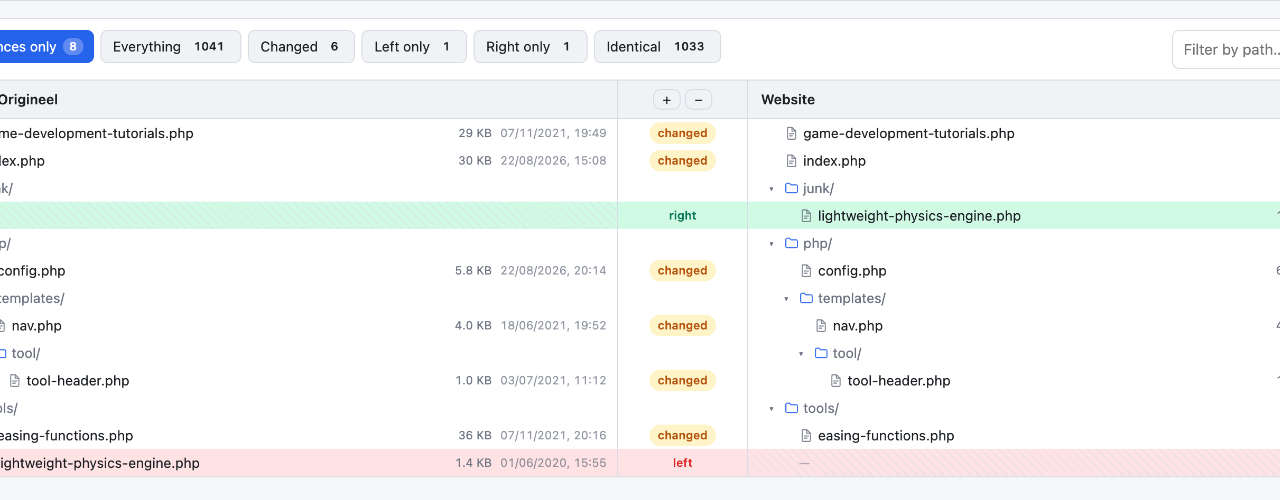
Spicy Yoghurt has a new free tool: Folder Compare. Point it at two folders and see right away which files were added, changed or removed. Everything runs inside your browser, so none of your files ever leave your computer.
You know the situation. There's the folder you're working in, and there's that other folder. A backup, an older build, the version you copied to a USB stick before you started experimenting. Something changed somewhere between those two, and to find out what, you have to click through both of them and hope you spot it. We got tired of that, so we built Folder Compare.
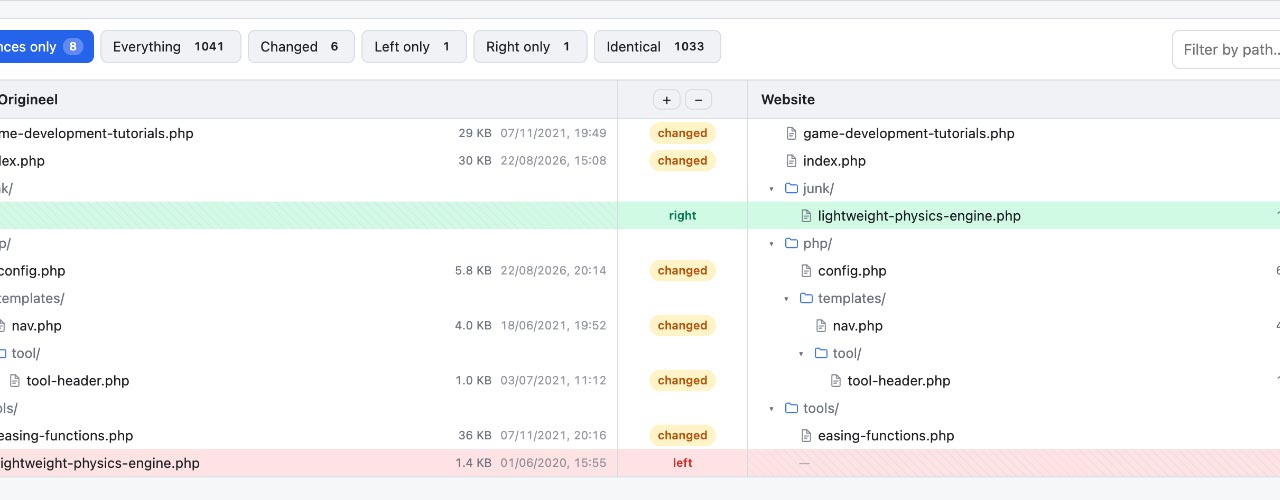
Pick two folders, and the tool lines them up side by side in two file trees. Added, changed and removed files are marked right away, so you can see what changed before you've opened a single file. And when you want a closer look, click a changed file. You'll see both versions next to each other, with every changed line highlighted.
Now for the part we're most happy about. Your files never leave your computer. There's nothing to install and no account to create, and nothing gets uploaded to a server. The comparison happens right there in the browser tab, on your own machine, and when you close the tab, the results are gone. That makes it just as safe for a folder of vacation photos as for the source code of a project you can't share with anyone.
It's handy for checking your builds, your backups and your asset folders, and it's a bit of a lifesaver for those older projects that never made it into version control. You can try Folder Compare right here, in Chrome, Edge or Opera on a computer. If you like it, or if something's missing, let us know in the comment section below. Happy comparing!


No comments yet. Be the first to leave one!