
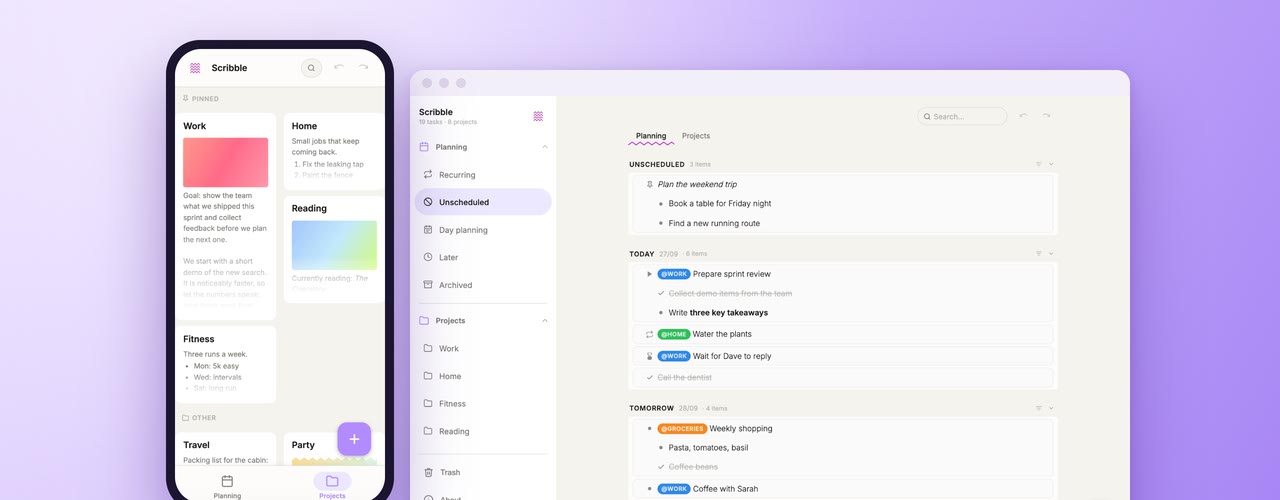
Meet Scribble, a free to-do list and notes app by Spicy Yoghurt. Plan your days and keep notes for your projects, on your computer or on your phone. There's no account to create, and everything you write stays on your own device.
Every to-do list starts out the same way. A few tasks on a sticky note, a couple more in a notes app, and before you know it, half of your plans live on the back of a receipt. We tried plenty of apps to fix that. Some could barely do more than check a box, while others wanted us to set up workspaces and labels before we could write down a single task. So we did what we usually do and built our own. Say hello to Scribble.
Scribble started out as a tool for our own work. Meetings, follow-ups, side projects and the weekly groceries all ended up in there. After a while it turned out to be too useful to keep to ourselves, so from now on you can use it too. The idea behind it is simple: writing down a task should feel as quick as scribbling it on paper. Type a line, press Enter, and the next line is ready. Press Tab, and the line becomes a sub-task of the one above it.
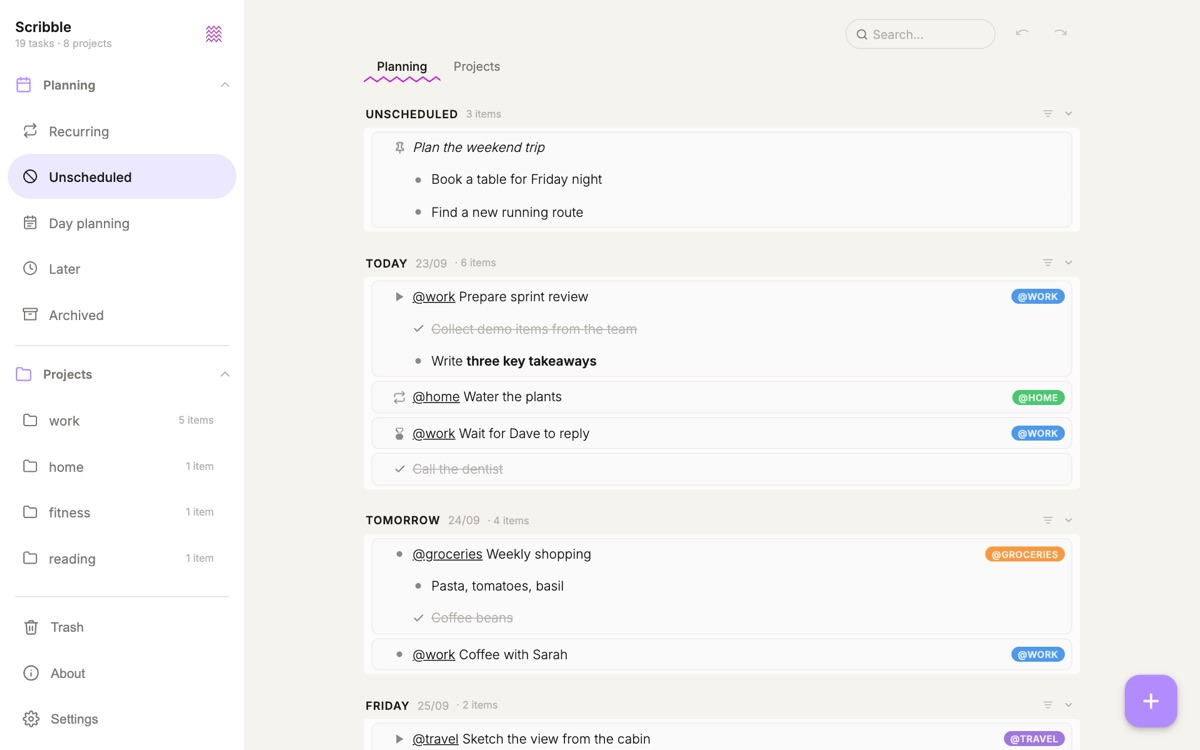
Every day gets its own list, so you can see today, tomorrow and the rest of your week in one go. Didn't get around to something? Just drag it to another day. Put a tag like @Work or @Home in front of a task, and Scribble creates a project for that tag. The project collects every task with the tag, and it has room for notes, images and even a quick sketch. Add a few recurring tasks and statuses like waiting or in progress, and you know exactly where things stand.
Scribble runs in your browser and keeps your data private, just like Folder Compare, our tool for comparing folders. There's no account and no cloud. Your tasks and notes stay in your browser, on your own device. Whenever you like, you can save a backup to a file, and that file is also how you move your lists to another device. You can also install Scribble on your phone or computer, and then it gets its own icon and window. And once you've opened Scribble, it even keeps working when you're offline.
You can open Scribble right here and start typing, or read about all its features on the Scribble page first. It's free and it only takes a few seconds to get going. Tell us what you think in the comment section below, or let us know if something's missing. Happy scribbling!

No comments yet. Be the first to leave one!